 Residential
Survey Smarter Level 2
UK residential property surveyors
Complete structured Home Survey Level 2 inspections and produce professional PDF reports.
Preview available · Trial not live
Preview Level 2View details & examplesSurvey Smarter GroupSurvey Smarter Group
Choose the software built for your inspection: residential surveys, damp and mould, asbestos, or remedial floor plans. Keep findings and evidence connected, with less repeated report write-up.
ResidentialUK residential property surveyors
Complete structured Home Survey Level 2 inspections and produce professional PDF reports.
Preview available · Trial not live
Preview Level 2View details & examples Damp & Mould
Damp, timber and mould professionals
Capture readings and evidence on site, then deliver clear, evidence-led reports.
7-day trial · No card required
Start 7-day free trialView details & examplesCompetent asbestos surveyors and consultancies
Connect room-by-room evidence, ACM registers, reinspections and document-grade reports.
14-day early-access trial · No card
Start 14-day trialView details & examplesDamp, timber and remedial surveyors
Measured floor plans with survey evidence and proposed remedial works mapped onto the layout.
7-day trial · Standalone payments not live
Start 7-day free trialView details & examplessurveysmarter.app
Streamlined survey reporting for independent surveyors and contractors. Capture property details, observations, recommendations and photographs, then produce branded PDF reports. Separate from the residential Survey Smarter Level 2 platform above.
Each application has its own website and account; there is no shared login or automatic data transfer. Survey Smarter Level 2 account creation does not activate a trial.
See the work and the output
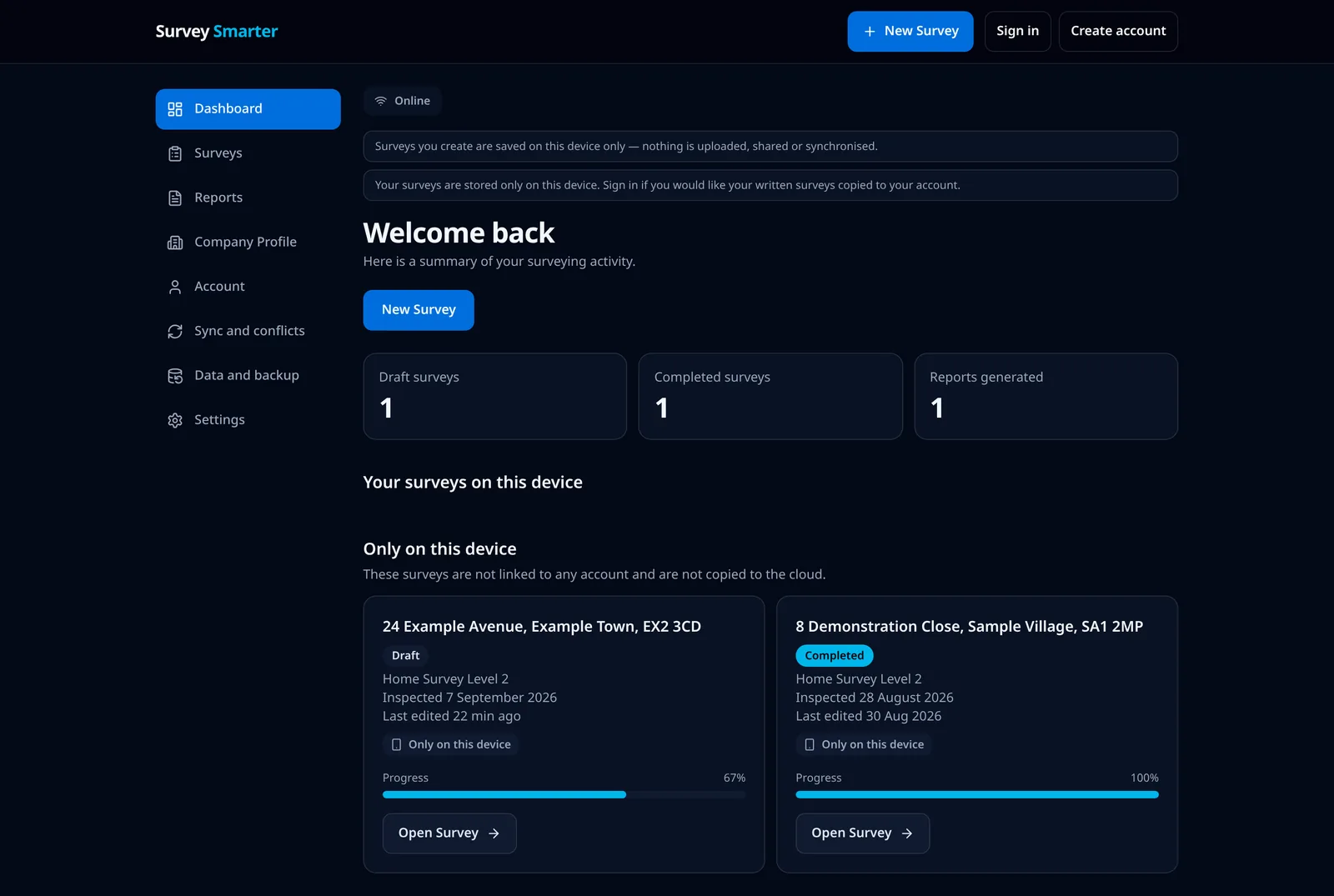
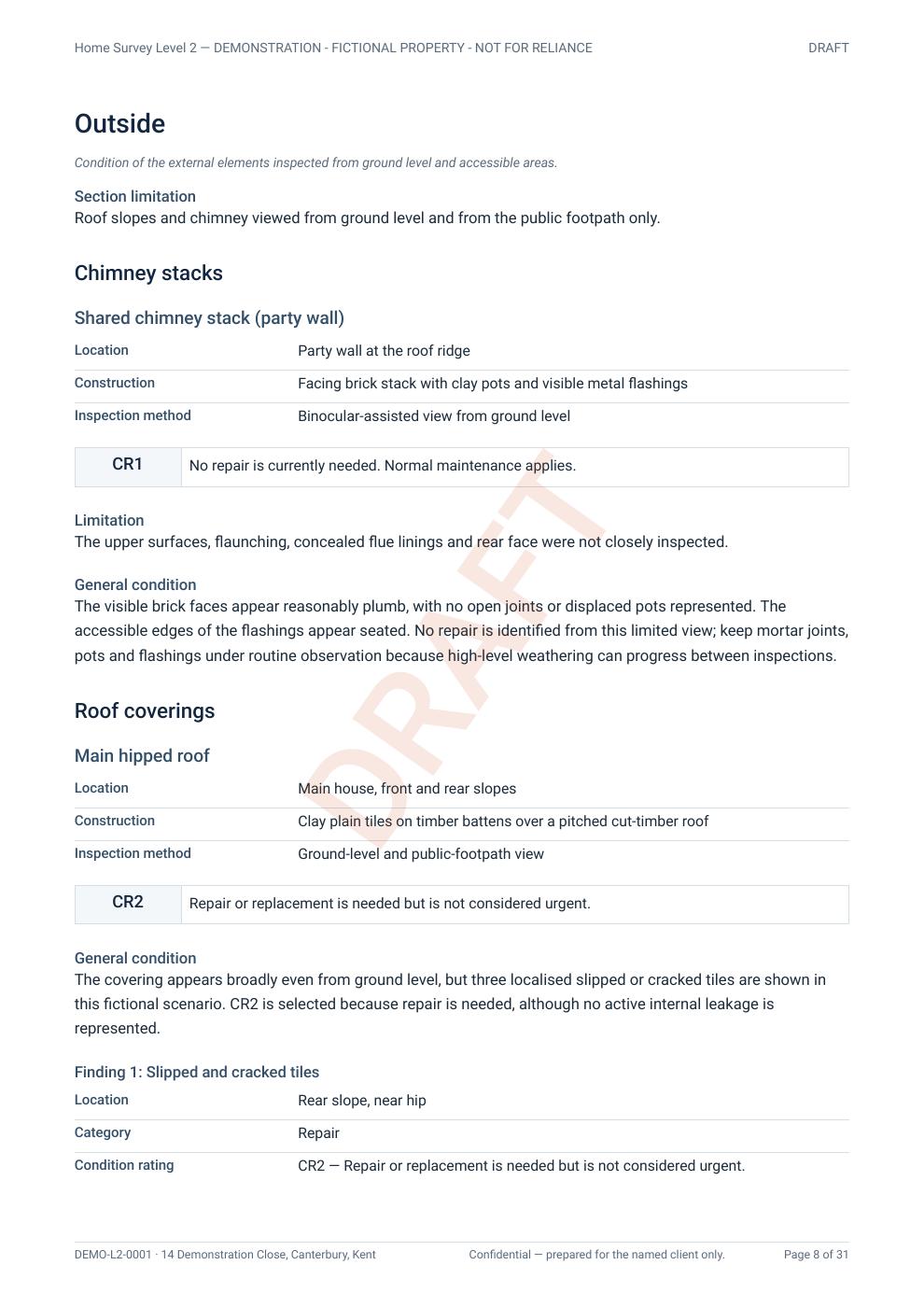
Follow a Level 2 record from survey progress to condition ratings and recommendations. For specialist investigations and measured layouts, see the damp, asbestos and floor-plan product examples.
01 · The application screen
02 · The PDF output
From inspection to report
Capture findings, readings and ratings on site in a structured record.
Link photographs and captions to the finding they support.
Completeness checks highlight anything left unanswered.
Generate a consistent professional report from the same record.
Questions